A week of practice from every lesson.
When the lesson ends, the practice is ready: the technical work, up to three drills and a test. The player knows what to do on Wednesday night.
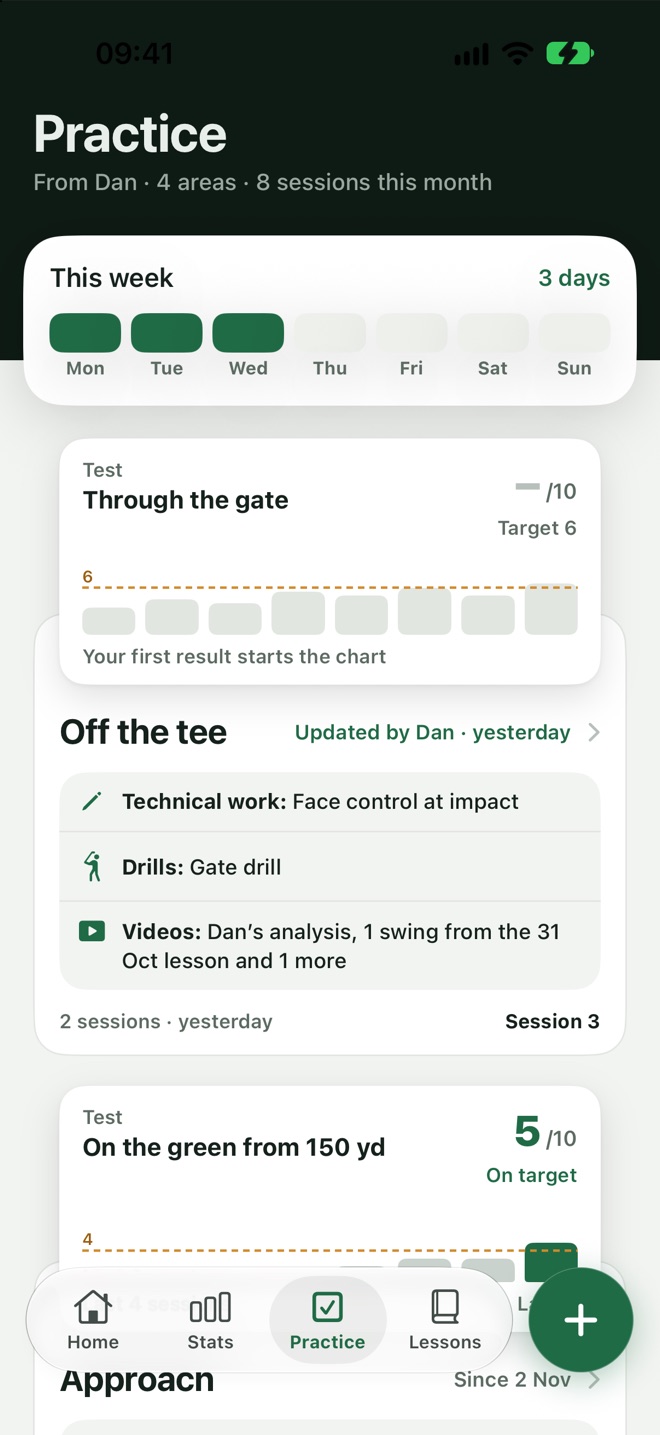
Know what to practise, and tick it off.
The week's practice sits on the player's Practice tab. Each session is a short list they can finish, with the lesson's cue at the top.
- From the lesson.The technical work is the fix from this week's summary.
- Videos included.Watch the lesson's swings from inside the practice.
- A note back.Tell the coach how it went when the week is done.
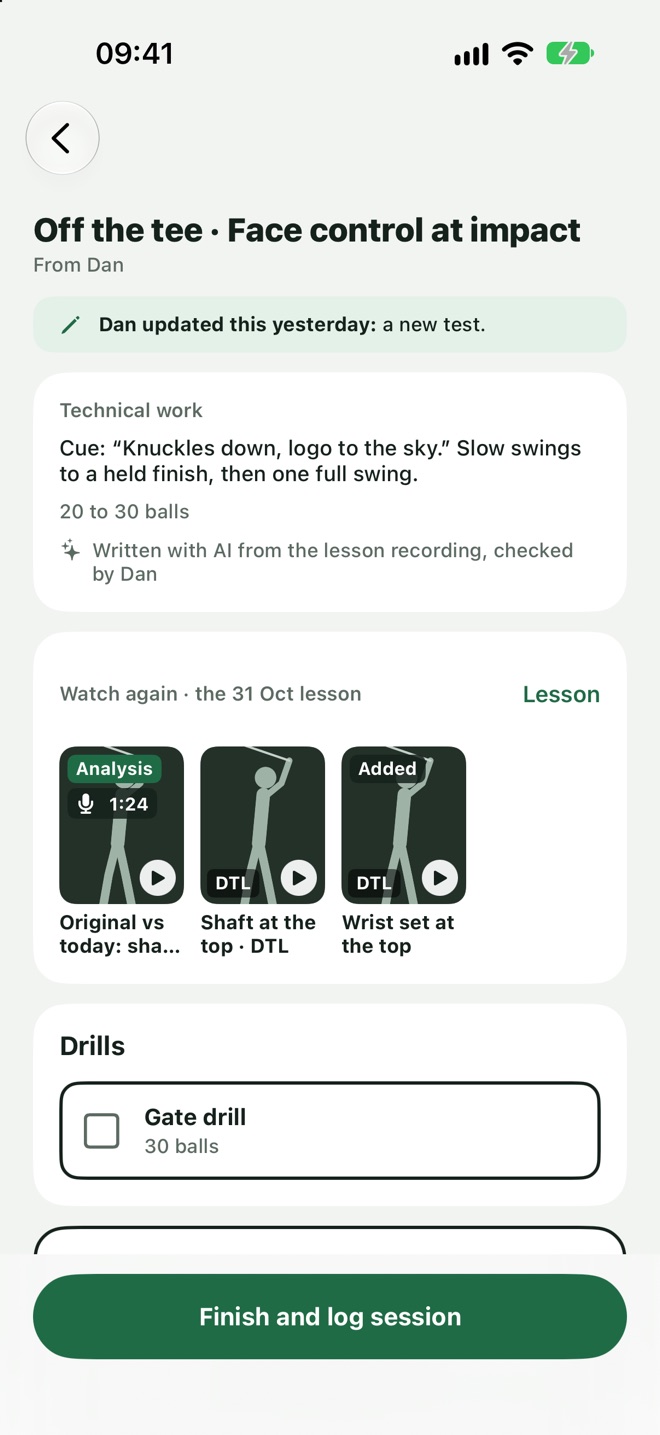
The drills are picked. You make the call.
Loft Coach suggests drills from your own library to fit the lesson. Swap any of them, or change a practice after it's been sent.
- Your library.Suggestions come only from drills you've added or approved.
- One tap to swap.Change a drill or the test before sending.
- Edit after sending.The player sees the change straight away.
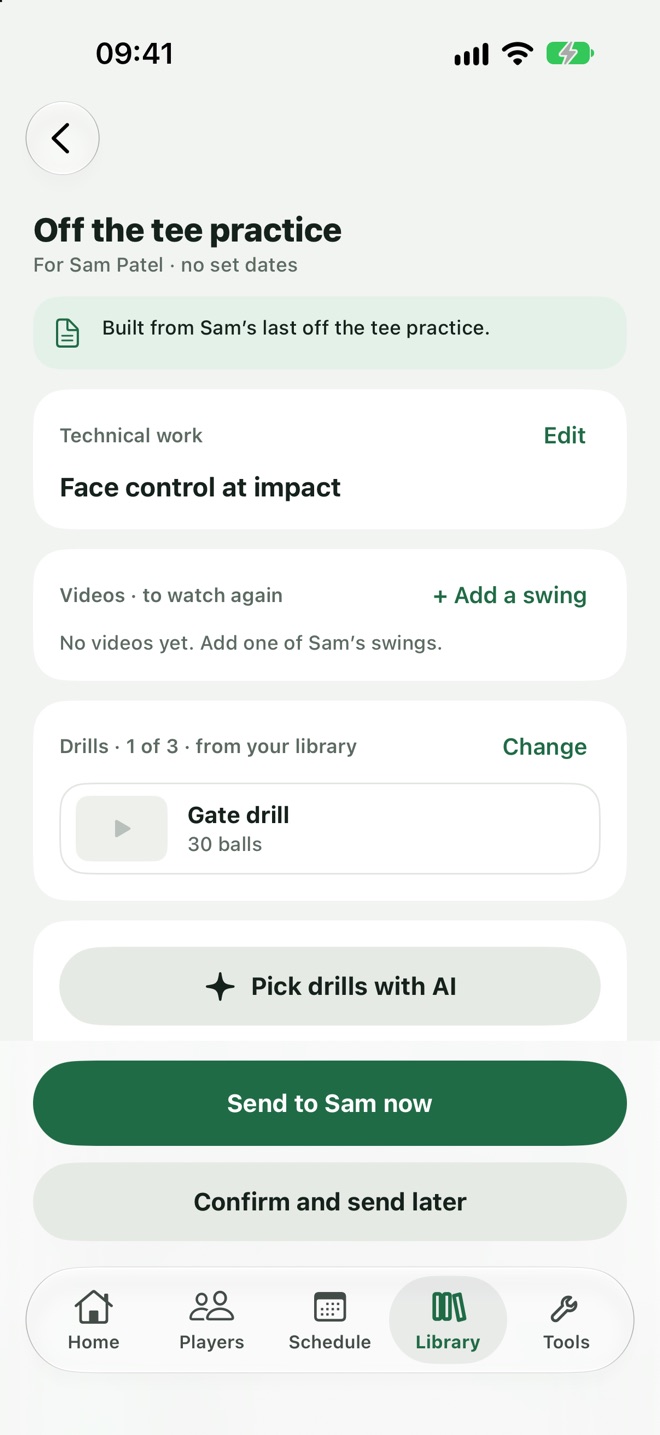
A score every week, so progress is plain.
Each area of the game can have a test. The player adds a score, and a chart shows whether the practice is working.
- A chart per area.Off the tee, approach, short game and putting.
- Carries over.The player keeps their current test from one practice to the next.
- The coach sees it.Scores flow straight to the player's profile.
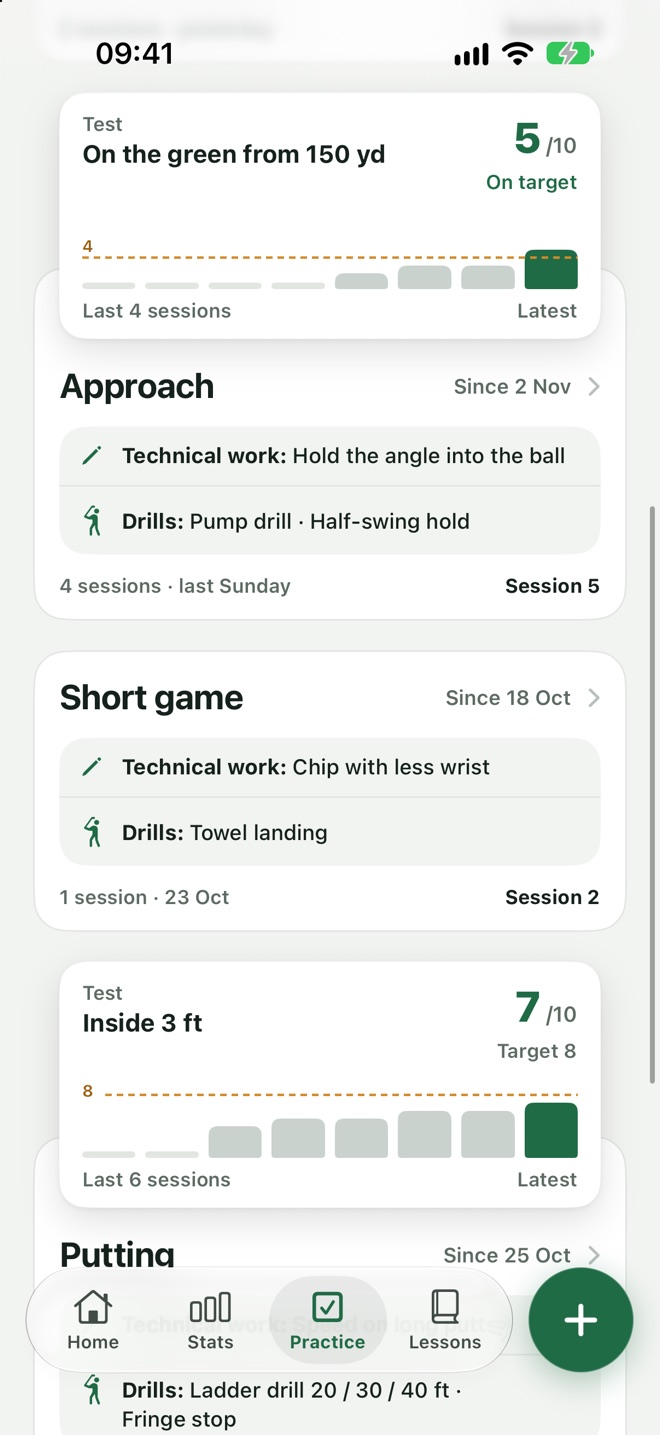
From the lesson to the next lesson.
Lesson
The summary sets the technical work.
Plan
Drills and a test are suggested; the coach checks and sends.
Practise
The player ticks sessions off and adds test scores.
Review
The coach sees what was done before the next lesson.
Practice plans, answered.
Does AI choose the whole practice?
No. The technical work comes from the lesson. AI only suggests drills from the coach's library, and the coach can change them.
Can a coach write a practice by hand?
Yes. Build one from scratch or from a template.
What does the coach see?
Which sessions were ticked off, test scores and any note the player sends.
Practice with a purpose.
Players who know what to work on come back better.
Join the waitlistComing soon to iPhone