Deliver more to every player, while doing less.
Teach the lesson. Loft Coach listens, drafts the summary and lines up the videos, the practice plan and the stats. Your player has all of it before they get in the car.
From the first ball to the car park, without a gap.
One flow carries the lesson from the tee to the player's phone. You teach. The app does the writing up.
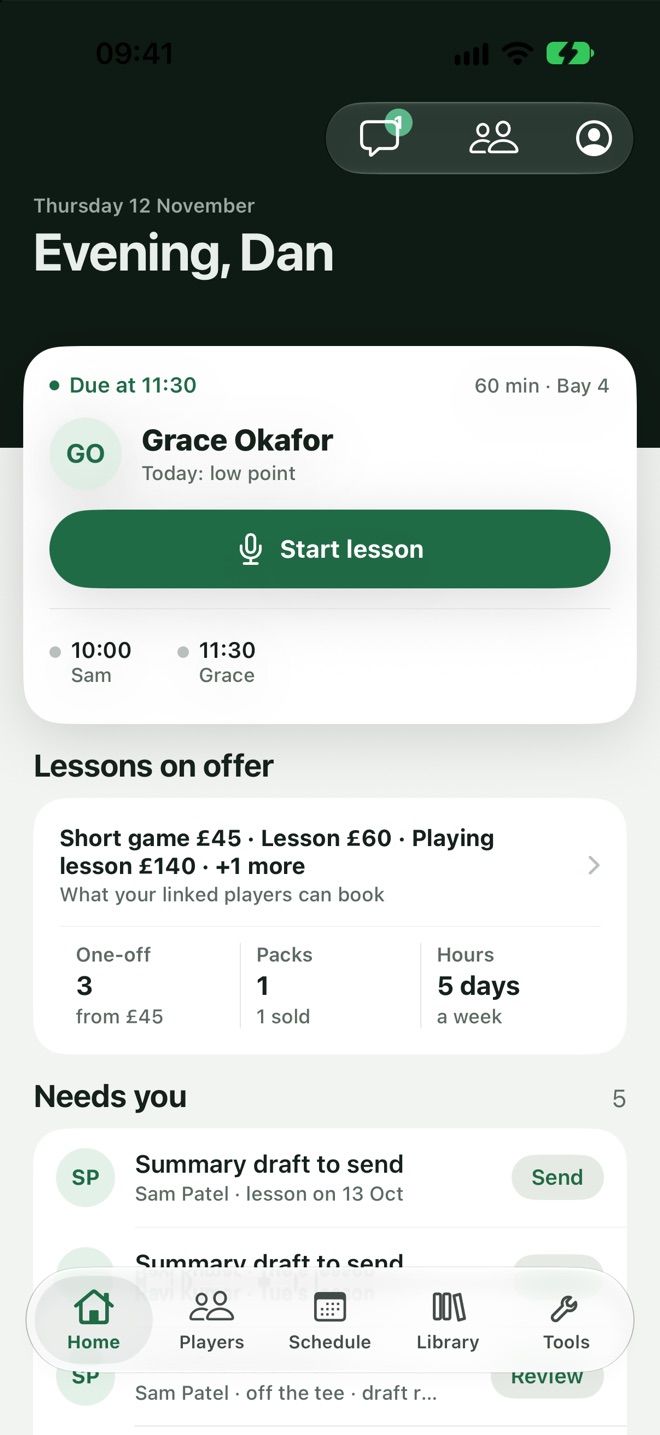
Press Start, then just teach.
Your day's lessons are on your Home screen. Start one and coach as you always do, filming swings and marking moments as you go.
- Nothing to set up.The player, the lesson and the block are already there.
- Film as you go.Slow-motion swings with drawing, compare and voice-over.
- Mark the moments.One tap when something clicks.
The summary writes itself while you coach.
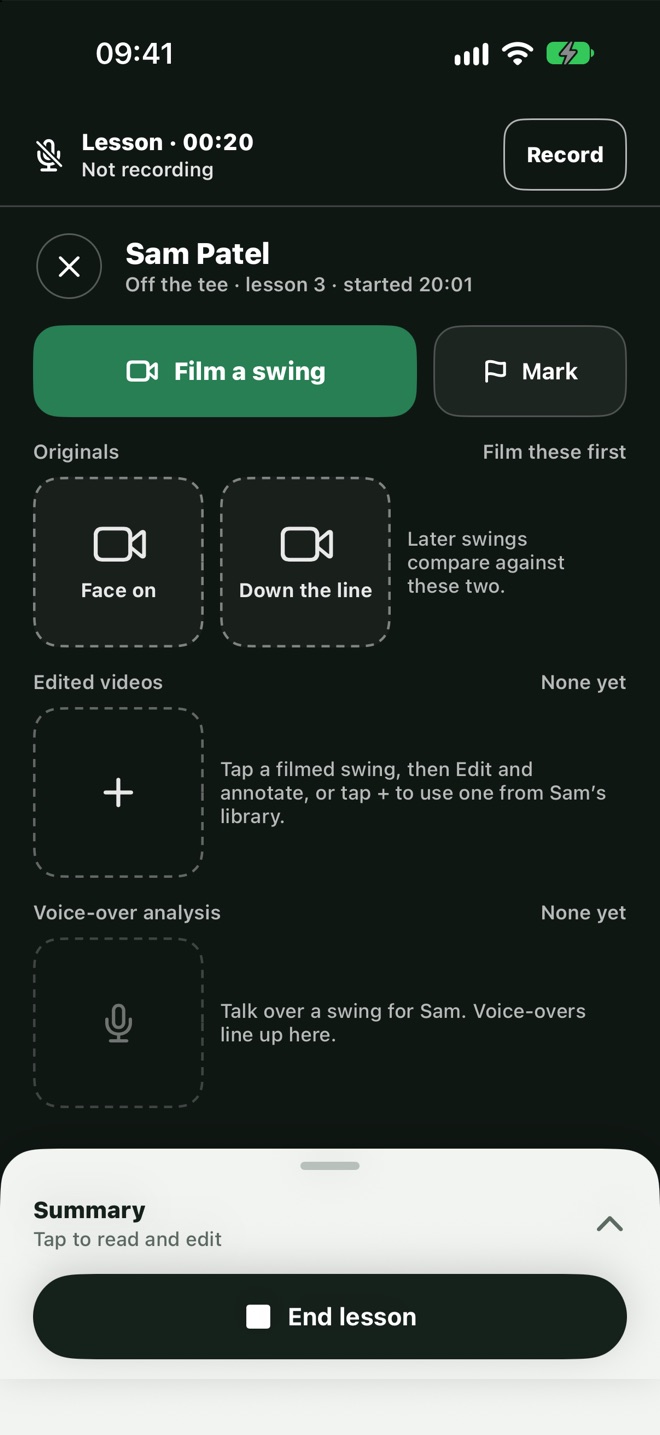
With the player's agreement, Loft Coach listens to the lesson and drafts the summary as it goes: the problem, the fix and the reps.
- Only with a yes.The player agrees first and can change their mind.
- Phone in your pocket.It keeps listening with the screen locked.
- You have the last word.Read it, change anything, then send.
In their hands before they get in the car.
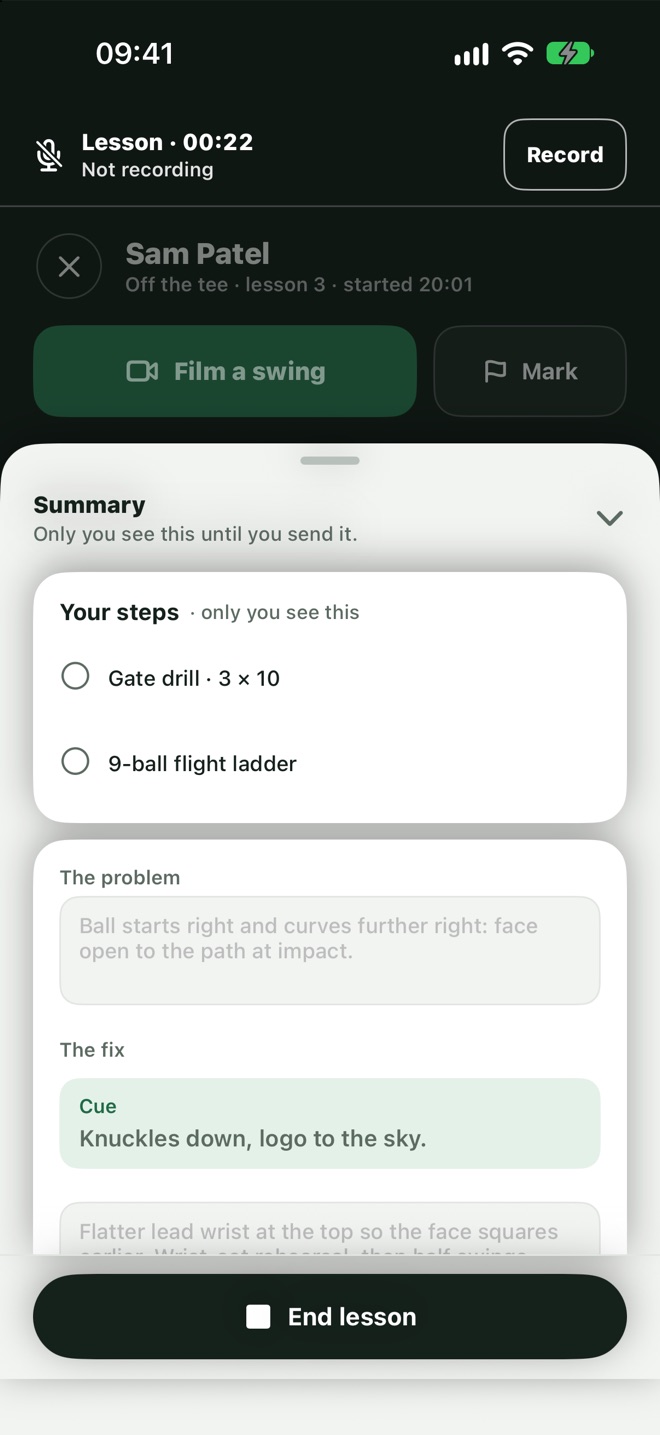
One tap sends the summary with the lesson's videos. The player reads it while the feel is still fresh.
- Short and clear.The problem, the fix with one cue, and the reps.
- Videos attached.Your analysis and the original swings.
- Seen or not.You can tell when it's been opened.
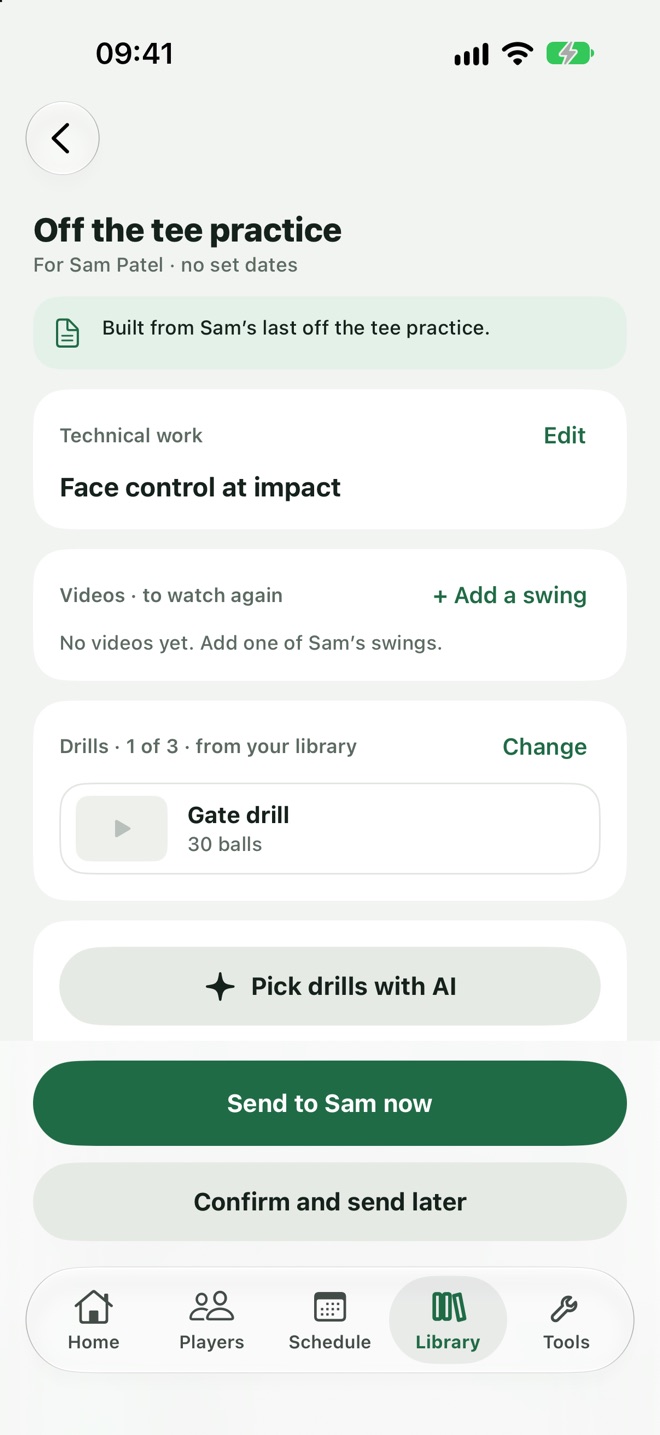
The week's practice, already built.
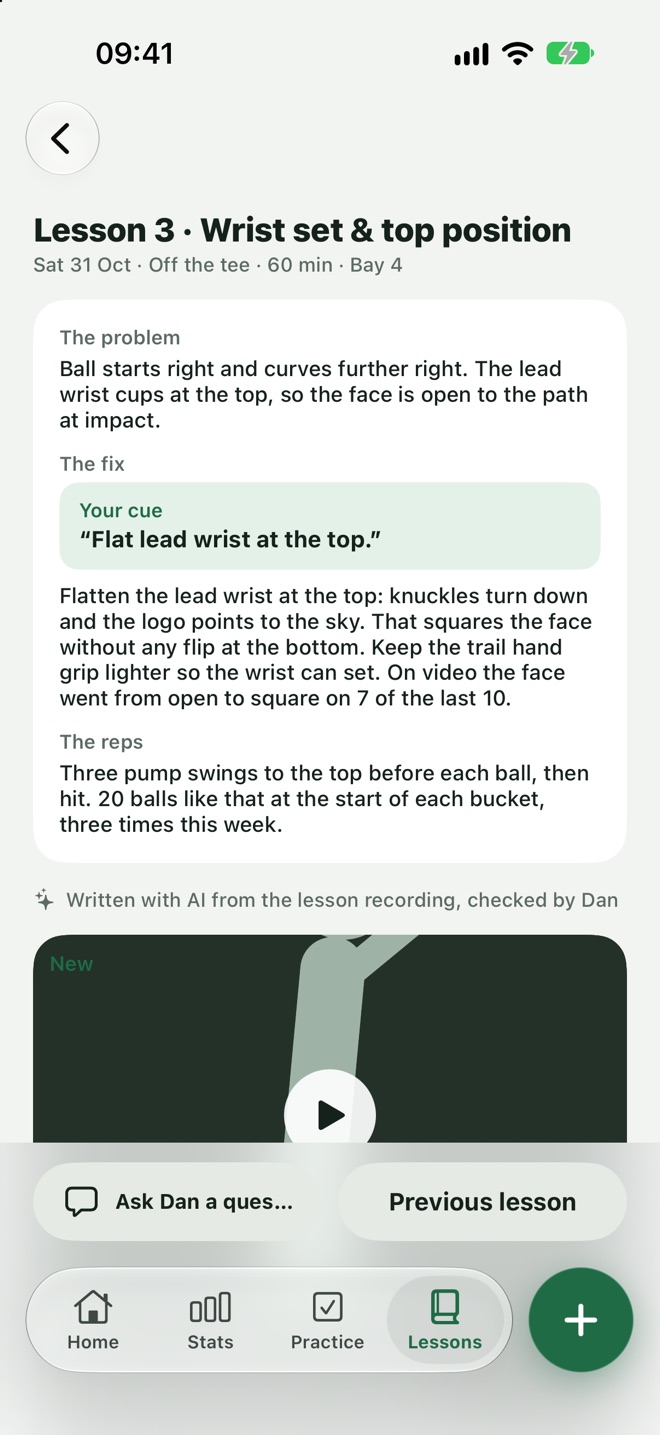
The lesson becomes a practice plan tailored to what the player is working towards: the technical work, drills from your library and a test.
- From the lesson.The technical work is the fix you just taught.
- Your drills.Suggested from your own library, yours to swap.
- Tracked.You see the sessions they did and their test scores.
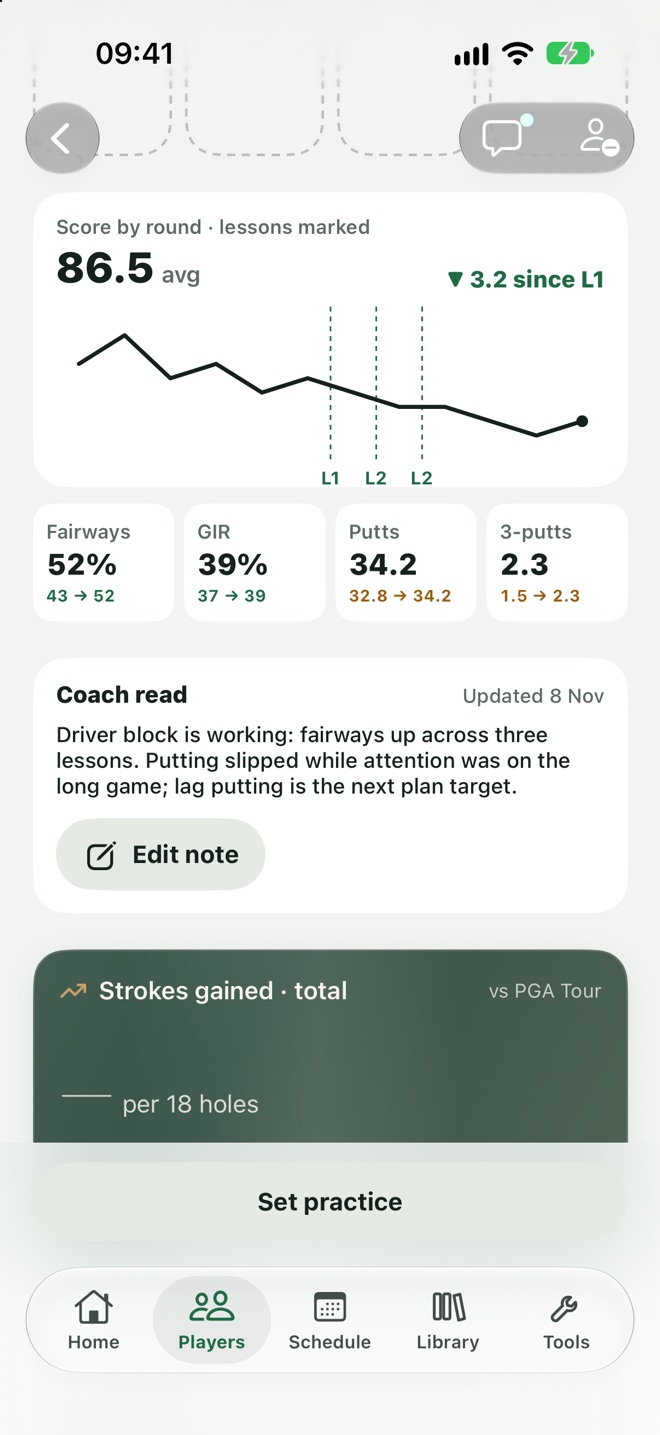
Their numbers, next to the lesson.
Players log their rounds, and you see fairways, greens, putts and strokes gained since the last lesson.
- Since the last lesson.See whether the change is showing up on the course.
- Four areas.Off the tee, approach, short game and putting.
- No chasing.It arrives without you asking for a scorecard.
Always know where every player is.
Build a lesson plan for each player, and their profile keeps the whole story in one place.
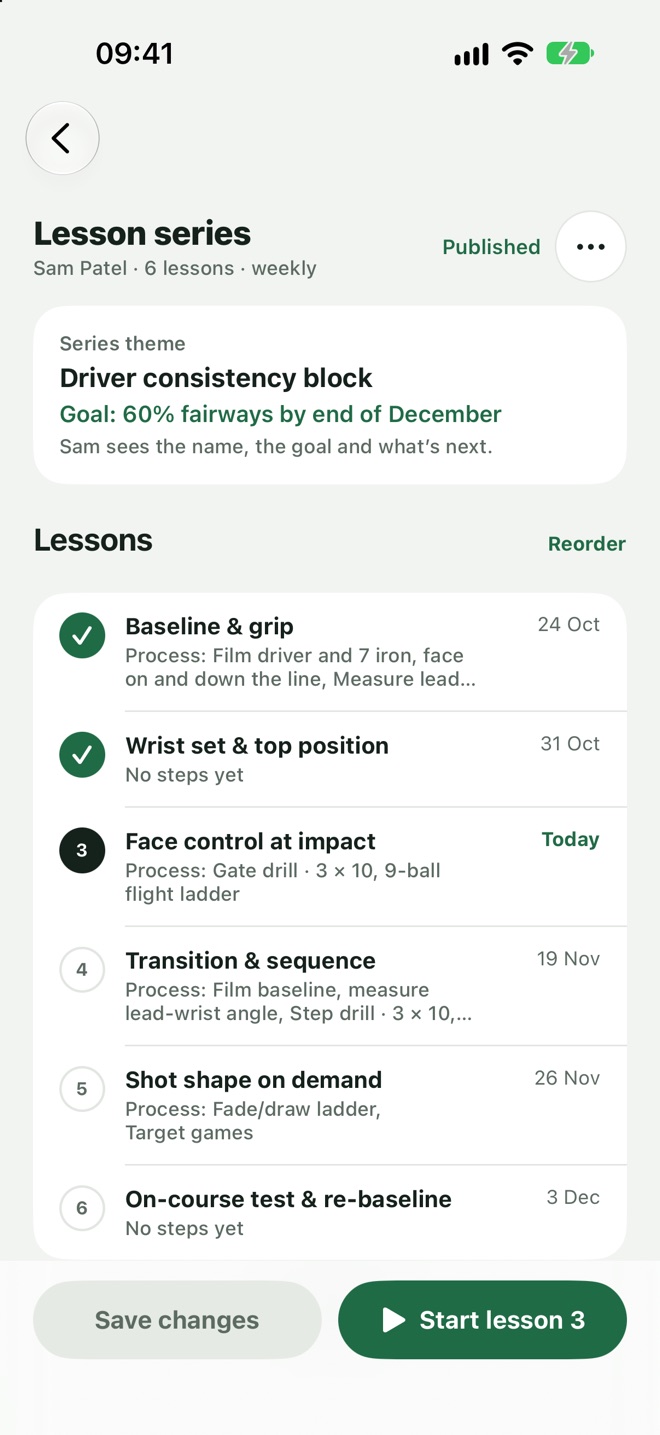
Plan the block, lesson by lesson.
Set out a series of lessons with a goal the player can see. Start from one of your templates, or build it from scratch.
- A goal to aim at.Such as 60% of fairways by the end of December.
- Your templates.Reuse a block you've taught before.
- Your process, kept private.Notes on how you'll run each lesson, seen only by you.
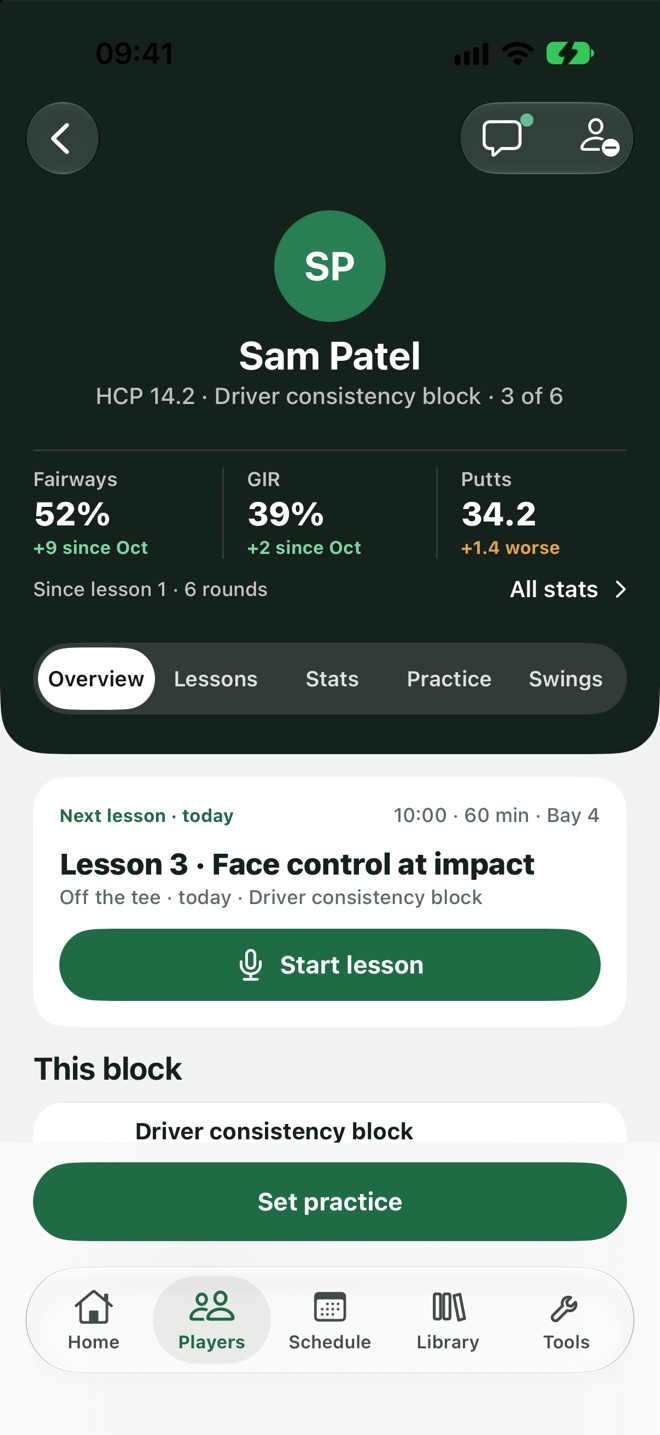
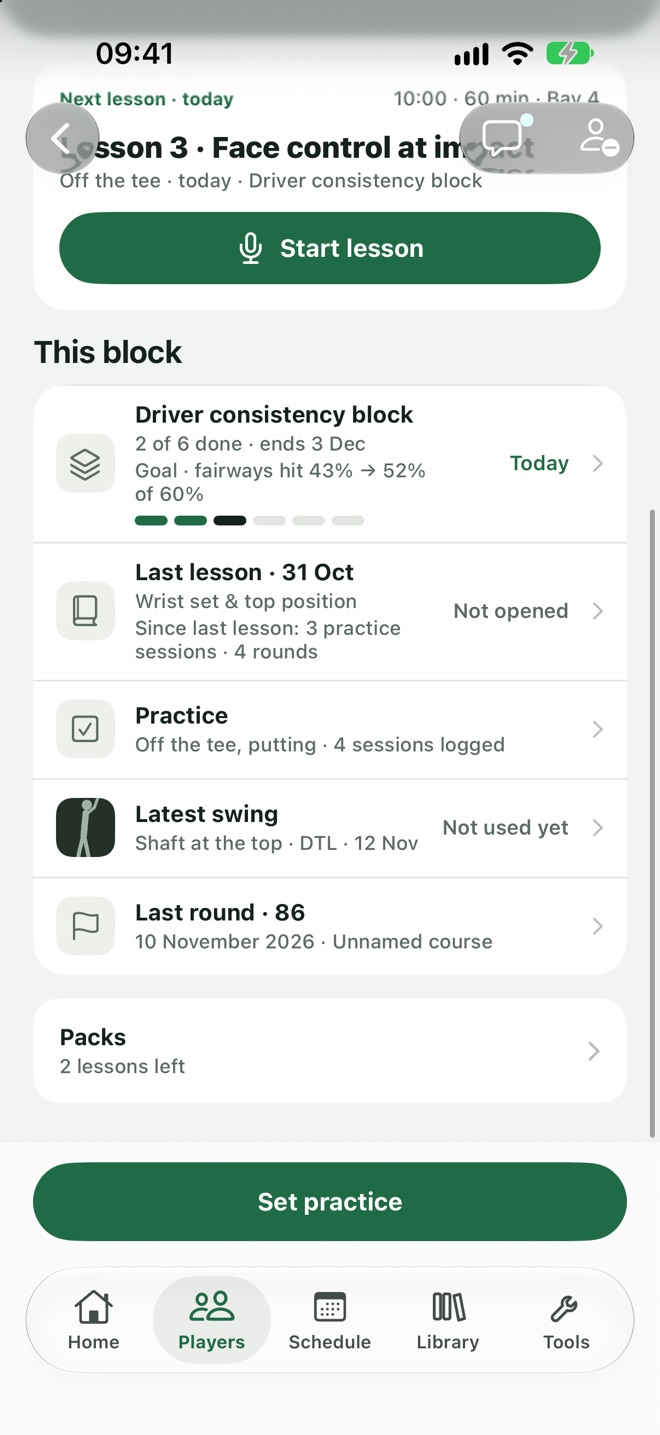
Open a player and know exactly where you are.
The top of every profile shows the block, the lesson you're on, how their numbers have moved and the next lesson, ready to start.
- Lesson 3 of 6.Where they are in their development, at a glance.
- How they're doing.Fairways, greens and putts since you started.
- What's next.The next lesson in the plan, with its topic.
Last lesson, what's happened since, and what's next.
Scroll down and the page tells the story since you last saw them: what you worked on, how much they've practised, their latest swing and their last round.
- What you worked on.The last lesson, and whether they've opened it.
- What's happened since.Practice sessions and rounds since that lesson.
- Their latest swing and round.One tap to open either.
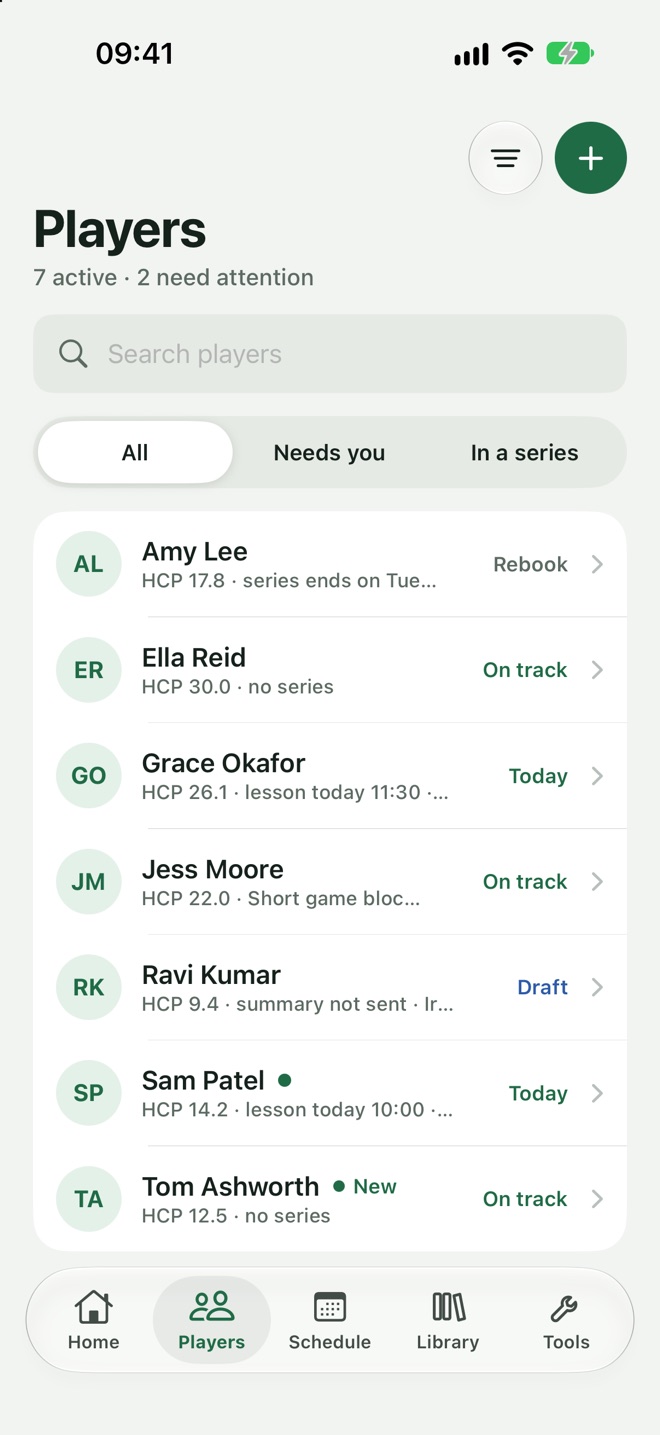
See who needs you today.
Your Players list shows who's on track, who has a lesson today, who needs rebooking and whose summary is still a draft.
- Lesson blocks.Plan a series of lessons with a clear aim.
- Nothing slips.Drafts to send and practice to set are flagged.
- Booked in.Players book themselves into your free times.
What your players get from you
Loft Coach makes your coaching feel bigger to the player. This is what they see on their side.
Easy booking
Book, move or cancel a lesson in a few taps, around the coach's real free times.
A clear lesson plan
They can see the block they're in, which lesson they're on and what comes next.
Stats without the effort
A new, quicker way to log a round, and strokes gained to show where the shots go.
Practice that keeps up
Their plan is updated after every lesson, with drills and a way to track what they've done.
Every lesson kept
Summaries and videos are stored, so any lesson is easy to go back to.
Help between lessons
They can ask a question or send a swing, and hear back from you.
More for the player. Less for you to do.
Teach
Start the lesson and coach. Film swings as you go.
AI writes
The summary is drafted while you teach.
You check
Read it, change anything and press Send.
They leave with it
Summary, videos, practice plan and stats, before the car.
Coaches' questions, answered.
Do I have to record my lessons?
No. You can write the summary yourself in the same three parts. Recording is there to save you time, and only happens when the player has agreed.
Does the AI send anything on its own?
No. It writes a draft. Nothing reaches a player until you've read it and pressed Send.
Can I see a player's rounds and practice?
Yes, once the player has accepted your link. You can read their rounds, never change them, and either of you can end the link.
Does it work for in-person lessons?
Yes. Loft Coach is built for coaches who teach in person, on the range or in a studio.
Give every player more, without giving up your evenings.
Be among the first coaches to use Loft Coach.
Join the waitlistComing soon to iPhone